Monday, November 09, 2009

Regex for Tracing

I've been working on SwinGame, and one of the tasks has been to add tracing code to the core to make it easier to debug problems. This involves adding TraceEnter and Trace exit calls to each procedure in the code.

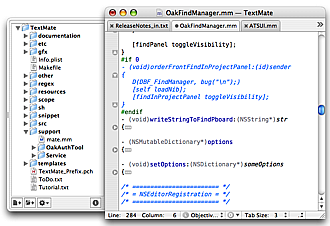
To avoid having to do this by hand I am using a Regular Expression in TextMate to find procedures in the code, and replace them with a version that includes the injected trace enter and exit code. The regex I am using is shown below. It will work with a maximum depth of four begin/end groups... so its not completely automatic, but is a good start.

(function |procedure )(.*?)(;(\n|.)*?begin)((\n|(begin(\n|(begin(\n|(begin(\n|(begin(\n|.)*?end)|.)*?end)|.)*?end)|.)*?end)|.)*?)(\n end;)
This is then replaced using the following replace text. The $1 values are the groups that are matched in the regular expression. This enables me to place the procedure name, parameters and return type in the traced output ($2). It also ensures that all of the code from the program is output in the right spot.
$1$2$3
{$IFDEF TRACE}
TraceEnter('sgCamera', '$2', '');
{$ENDIF}
$5
{$IFDEF TRACE}
TraceExit('sgCamera', '$2', '');
{$ENDIF}
$15
This regular expression converts the following code...
function VectorFrom(x, y: Single): Vector; overload;
begin
result := VectorFrom(x, y, false);
end;
into this code which now has the tracing details added.
function VectorFrom(x, y: Single): Vector; overload;
begin
{$IFDEF TRACE}
TraceEnter('sgCamera', 'VectorFrom(x, y: Single): Vector', '');
{$ENDIF}

result := VectorFrom(x, y, false);

{$IFDEF TRACE}
TraceExit('sgCamera', 'VectorFrom(x, y: Single): Vector', '');
{$ENDIF}
end;
This should save me some time... though a real parser trace injector would be great!

Friday, October 09, 2009

Finding Menu Options

Another small feature of MacOS that I use often is the help search feature. This searches for the text you type in the program's menu options. The image here shows searching for "Picture" in Word. Selecting one of the found options opens the menu and a pointer indicates where the option is. You can then either click the menu or just execute it directly from the help itself.


This has actually changed the way I use the menu itself. I no longer try to remember where a menu option is. Instead I use the help to search and execute the option.

Friday, September 25, 2009

Dictionary Mac Tip

A few people I know have recently switched to using Macs, so I thought I would try to put up Mac related tips for them here on my blog. I'll try to do one each week, but... we'll see :).


One cool feature of Mac OS is the ability to use the dictionary to lookup words in many applications (any that use the basic mac text rendering - so not office for example). I find this useful when reading web sites and when writing documents. Try hovering the mouse over any word and pressing Command + Control + D. You should get a drop down that shows you the words details from the dictionary. The drop down also lets you look the word up in the thesaurus.

Friday, September 11, 2009

SDL + Objective-C Garbage Collection

Today I had another try at getting a version of SDL 1.2 with support for garbage collection. I got a bit further this time... I managed to get SDL to compile for 10.5 (and 10.6 Snow Leopard) with gc support turned on. My games run with the new framework as long as -fobj-gc isn't supported or required by the application... The games start with garbage collection, but don't it seems that there is an issue loading LiveType.

I'll have to look into it again later... but if you have any ideas let me know! (happy to provide compiled SDL framework for anyone interested in helping)


Wednesday, September 09, 2009

Setting the title of a slide...

I've been playing around with two different presentation tools and found the different approaches to scripting to be quite interesting. The two scripts are shown below.


tell application "A"

set title of (current slide of first slideshow) to "Hello World"

end tell


tell application "B"

activate

set theIndex to slide index of slide of view of active window

set selectedSlide to slide theIndex of active presentation

set content of text range of text frame of shape 1 of selectedSlide to "Hello World"

end tell


The two scripts both set the title of the current slide to "Hello World". Its interesting to note that while "B" has more features the script is quite brittle, things like selecting the slide in the outline cause it to fail to select the current slide.

and the moral of the story is... "don't over engineer your code... keeping things simple with clean abstractions is always better"

Tuesday, May 12, 2009

Explore Regex

I've been playing around with the Google Web Toolkit, and it looks very interesting. As a small project I created a Regular Expression testing web site (see http://exploreregex.appspot.com/). This uses a simple regular expression highlighting service that you post sample data and a regex, and it returns HTML formatted data indicating the matched expressions. This all works asynchronously, which the GWT makes easy...


Next will be to add in some of the AppEngine features...

Saturday, December 27, 2008

Got a new mac... what now?

A few of my friends have recently got their first mac... so what things would I recommend for anyone switching from PC to Mac?


Realise that it will take some time to get started with a new platform... and switching to mac is the same. You will need to spend some time really getting used to using the Mac, but the effort will be worth it.

1: What can I do with my PC data and apps I need to use?

I think the key to switching is to immerse yourself in the new platform and avoid using the old one for a few weeks... otherwise the temptation will always be to revert back to using Windows and you will never really get the benefits a Mac has to offer.


However, for somethings you do need Windows... Visual Studio for example. I use Parallels Desktop for Mac. Its a virtual machine, and allows you to run Windows, or other operating systems, under Mac OS. I have found this has worked really well for me. If you are moving from an existing PC, you can also make use of Parallels Transporter. It can be used to create a Virtual Machine image of your existing PC. You can then use this as a full backup, ensuring you don't lose any of those important settings or data from your PC.

An alternative to Parallels is Virtual Box. I know a few people who have used this, but I haven't tried it myself. The benefit of this is that it is free...
I don't think it has an equivalent to Parallels Transporter, but you cant argue with the price.

2: What general things should I know about?

Well there are many but here are a few important points:
  • Clicking the Red x on the top left corner only closes the window, in many cases the program is still running. You need to use the Quit link from the program's menu.
  • Running programs appear in the Dock with a small light blue ball under it.
  • You can quit a program by right clicking on the program in the Dock.
  • System Preferences is the equivalent to Control Panel.
  • Learn to use Expose.
  • Command replaces control for many shortcuts - Command Q quits for example.
Things you need to configure:
  • Make sure you turn on two finger scrolling, and secondary clicks with two fingers in Trackpad settings in System Preferences.
  • Set the right button on the mouse to secondary click.
3: What Mac programs should I look at using?

If you use any form of chat, you'll want to get Adium, a free chat client that can be used to chat with MSN, Yahoo, Google, Facebook, and others... There are heaps of extras that really make it an impressive application. The duck image is really cute, and the many replacement dock images are worth looking at.


Textmate is a fantastic text editor for developers. Its not free, but it is well worth the price. It comes with many extensions, such as Project Plus that integrates SVN flags into the project draw. The extensions for different code formats are also worth looking at.

Office for Mac is likely to be another program that you need. It is mostly compatible with the Windows version, though the 2008 edition is missing VBA support. I have both the 2008 and the 2004 version installed.

There are some alternatives to Office such as NeoOffice, and Apple's iWork. I have been using iWork for a number of tasks, and it is great at creating presentations (in Keynote) and documents (in Pages). It is not as full featured as Office, but I have found it easier to get the layout I want in many cases.


Well that should be enough to get started with... 


Monday, December 01, 2008

Plans for APS

Next year I will be teaching Algorithmic Problem Solving (APS) in first semester, a subject that I have developed and worked on over a few years. At the start of this year I trialled portfolio assessment with some success in this subject, though I improved on this in semester 2 with Object Oriented Programming. So what am I going to do differently next year?

Greater focus on the portfolio assessment: The portfolio assessment was good in this subject last year, but the focus can be even better. I found that this helped the students focus on what was important in OOP, the intended learning outcomes. My plan is to provide assessed learning activities during the semester, the resulting work will then be included in the students' portfolios. 

Simpler book: The first few times I ran this subject we used the language manual that comes with the language we are using. Its very dry, and not presented in an order that is useful for learning. This year I tried providing my own details, but didn't really get that right. So next year I will be providing a new book.

The book is what I am focusing on now. This will use a syntax based approach to learning the language, along with clear descriptions and illustrations to help students understand the programming abstractions. At this stage I have the following sections for the book:
  1. Programs - introduces the Program abstraction and a large number of new "programming language" terms such as identifier, keyword, procedure, procedure call, expression, literal, etc.
  2. Creating Procedures - focuses on creating your own procedures. 
  3. Storing and Using data - variables, and the assignment statement.
  4. Passing Data Around - introduces parameters (both in, out, and in/out).
  5. Calculating Values - covers functions and function calls.
  6. External Libraries - introduces units, shows how to use external units, and provides an example function from the SysUtils unit.
  7. User Input - Up to this stage we will have been using literal values, but now all of the framework is in place to understand user input. This includes ReadLn, as well as reading command line arguments.
  8. Branching - Indicates the change from programming "infrastructure" to control flow, and algorithm design.
  9. Looping - For, while, repeat, etc...
  10. Data abstractions - now the focus changes to the programming abstractions for data. This will include arrays, records and pointers.
  11. Creating Libraries - Lastly onto creating your own programming libraries
My idea for this is to have each section as self contained as possible. Knowledge will be built up without the need for any "magic". This is the reason for delaying user input... this requires functions and out parameters, with library use being necessary if you want to convert values from strings to integers for example.

These 11 chapters will be covered in the first five weeks of the semester. Week one will cover 1 & 2, week two will be 3 & 4, week three on 5, 6 & 7, week four on 8 & 9, and week five on 10 & 11. This leaves seven weeks of the semester to learn about how these abstractions are used to create programs. 

Along with this I am aiming to keep the explanation of each concept or part of the syntax down to a single page, where possible. This is enough room to convey the important aspects, but not too much that the end result is overwhelming. It should also help to create a useful reference, where each idea has its own page. So far I am up to chapter 5 which start at page 39, so there isn't too may pages per chapter.

Let me know what you think. I'll post up some chapters later...


Wednesday, November 26, 2008

2008 Retrospective

Well the semester is over, and I'm starting to reflect upon a year with many experiments. The big things for me this year has been trying to put into practice many of the things that I have been reading about in the education area. The main focus has been on helping students to develop a greater understanding of software development and programming in general.

Background & the idea:
Software development is challenging, something that is easy to forget (once you get it). We have taught this through extended practice, in many cases without addressing or even discussing the associated principles. One of my frustrations with this has been the way many people subsequently approach their programming, usually with little thought or understanding. The classic symptom here is observed when the student makes random changes in the hope of fixing a bug, rather than thinking through their program and reasoning about its structure and implementation.

Is this a symptom of a lack of experience, or a greater problem related to the students understanding of the abstractions they are working with.

I am of the opinion that it is largely the latter, and that by refocusing on principles and core concepts we can teach people to better understand what they are doing when they create their own programs.

The idea, for this year, has been to refocus my teaching around the core principles. Teaching the principles of structured programming in first semester, and object oriented principles in second semester.

The method:
My teaching method aimed to get students engaged with the material, it is what the student does that counts...

Along with this I wanted students to be able to be adventurous, without risking losing marks. It was more important to have good quality, that a fixed time line. I moved to an extreme "Theory Y" position, with the perceived benefits of greater flexibility for the students along with greater responsibility.

I also wanted to make better use of the lectures, by distributing weekly reading and creating podcasts and using the lectures to discuss issues students were having with the concepts.

The results:
Now that semester 2 is over I am reflecting on the results of this approach. For me it has been a real roller coaster of highs and lows. Some aspects have worked well, others need improvement.

There was a marked difference between the introductory and advanced programming subjects. In general this approach has worked well with the more advanced students (Enterprise .NET), but how about the introductory subjects?

Releasing control of the system was definitely a different experience, though not an overly positive one in the introductory subjects. During the semester it was obvious that many of these students had failed to take responsibility for their learning. This was seen through missed deadlines, lack of attendance, and few questions on challenging areas. Flexible due dates meant leaving work until the last minute, rather than a chance to do quality work. The marking then reflected this situation, with many of those who "relaxed" failing to submit anything as the workload exceeded their time remaining.

On the positive side, there were some truly brilliant portfolios submitted. Those students who did take responsibility for their learning were able to demonstrate far more than I could have wished for. I hope that these students appreciated the flexibility, and the chance to explore areas they were interested in. But how can I adjust the process to better suite the larger majority of students.

Another positive was the portfolio assessment. This was time consuming and while course grained it has given very "accurate" grades, with no students being awarded a grade higher than they deserved due to a poor testing or marking scheme. On the other hand there were some students who's result I believe could have been better if they applied themselves more to the task, and demonstrating their learning.

The lecture method worked Ok with the advanced students, but need some tweaking. With the introductory subjects it really failed, which was disappointing. I think the problems were many... The text books were really 500% of what was "really" needed. As a result many students didn't do the required reading and subsequently blundered along trying to learn details from "lectures" without any real depth to their understanding. The method was significantly different and I failed to engage them in the process. Not providing my own large design early was not a great idea. Some of the lab exercises were incorrectly focused. Some of the portfolio pieces I suggested were overly large and time consuming, without the intended benefits.

Some bad points:

  • Not enough focus on programming (overcompensation)
  • Only few truly engaged with the method
  • In general students did a poor job of managing their learning
  • Some students didn't end up understanding the portfolio idea

Some good points:
  • Large responsibility on students to manage their own learning.
  • Mature students are better equipped for this method
  • Portfolios were able to capture student learning
  • Assessment was "fair"
  • No penalties for those who learn during the semester, and can communicate their learning by the end.
  • English communication skills can be enhanced, and communication issues are less severe then with exams (which require time compressed communication)

Reflections & Plans:
In summary this year has been a huge disappointment, and I'll need to try and reinvigorate myself before next year. I think the approach can work, and if I can get it right there should be some great benefits for the students. Reading back over this has, however, provided me with some hope.

"Once more unto the breach, dear friends, once more;"

My plans are to focus on teaching the learning process... as well as teaching about programming :). The method is different and I dont think I spent enough time on what was expected, and how to take advantage of the environment. I also have some more practical ideas related to using more "traditional" practices alongside this to help ease students into the experience. I am also more experienced now on what I need them to focus on in this approach. It has been a long time since I really engaged with these principles, and I'll be better equipped next year.

So to my introductory programming students from this year... sorry...

I would love to know what you thought of this experience and any suggestions you have... what do you think could be done to better next time.

I also promise to blog more... if you are interested in my plans and progress stay in touch! I need all the help I can get :)

Tuesday, September 30, 2008

Automator Postscript Actions & Leopard

Back in February 2007 I developed some Automator actions to manipulate Postscript files. I used these actions in the past to convert my presentation slides into multi-page PDFs. By creating these as scripts it became easy to quickly convert a large number of presentations into "lecture notes" that I could upload for the students.

Today I went back to test is they worked... and they didn't! The problem was that Leopard is now unix2003 compatible, and my script wasn't. The issue was my use of the file -i {} command which worked in the legacy mode, but fails when using the updated version. The fix was simple, when I found it, use file --mime {}...

For those who are interested... download the automator actions...

Wednesday, March 05, 2008

Python is intriguing...

I share an office with Clinton who has lately become somewhat of a Python convert. Today I started to play with Python for the first time. Unlike "normal" people I didn't start with Python in Python... I started by embedding it within a Pascal program. Embedding Python within Pascal was really simple - I am totally amazed! With less than 20 lines of Pascal code you can embed a Python interpreter and have it load and run python modules.

The code for this will be placed on Google Code once I have it a little farther along.

Why am I doing this? We are looking at providing the ability to run Scripts within SwinGame, its looking like we should have something interesting soon!

Wednesday, February 27, 2008

Portfolio Assessment

Well semester 1 has started... I can where did all that time go? This semester I am teaching HIT1301 Algorithmic Problem Solving again, and as always there are improvements to be made. This semester most of the changes revolve around the assessment, with some minor changes to the lectures and resources available.

On the assessment side of things the assessment will be much more flexible than in the past. Basically for APS there will be some core assignments and tests, each quite short but covering all the basics. Passing these means you pass the subject, in most cases you need to get them working to pass so dont think 50% = pass for these! To get anything greater than this students will need to submit a portfolio that shows their capabilities and depth of understanding of software development. This means students can choose what they want to focus on, while still ensuring they cover all bases. The focus of this assessment is on depth of understanding and quality of work, rather than quantity.

I'll keep you informed of how this goes... Let me know what you think of the idea.

In other news we are (well Clinton really) making progress with the new python port of SwinGame. This will mean that you will be able to call the SwinGame API from Python... the next step is to embed Python within SwinGame :)

Monday, February 04, 2008

SwinGame Excitement

The swingame project has gone through some very exciting developments. Over the last few weeks we have managed to develop a new edition of SwinGame (version 1.1) and is now available for download. Have a look at the game promo videos that we have created for this of YouTube they have been great fun to create.

Let us know what you think.

Friday, December 14, 2007

Exciting things are afoot

The Summer Semester Project this year is working on extending the SwinGame API that was started last year. This is a really exciting project with some great outcomes already, and we're less than half way through...

So what have the students achieved? The most visible part is the SwinGame web site. This site will be used to promote and distribute the SDKs when they are finished. The site uses a combination of MediaWiki and phpBB, combined together with a common theme. The wiki will be used to document the API while the forum will offer a place to discuss the games, and any issues with the API. You can read their comments on the SwinGameSDK Development blog.

I've used the SDK to create a small game, "Alien Flight". Its been great fun to have a chance to play around with this, though I guess I'll need to get back to work soon :(. I'll be putting the game up on the site some time soon.

Anyway check out the site and let me know what you think. Its a little empty at the moment, but we're working on getting content in soon.

Have a great christmas, and new year!

Monday, October 29, 2007

PS Printing in Leopard

Back in February I created some Automator scripts to automate the process of printing and publishing my lecture notes. These scripts hinged on the ability to use a small printer script that send the printer output to file, simple ps script. Upgrading to Leopard has caused me some issues in this regard.

The first issue is the fact that the Print Center has been removed. In the past you could Option click the Add Printer button to enable the Advanced options. With the new Printer Preferences Pane this option has been removed. So my first issue was adding the printer back at all. After some searching I found that the cups process can be administered remotely using http://localhost:631. To create the new printer you can do the following:

  1. Add a generic printer using Printer Preferences Pane
  2. Open a web browser and navigate to http://localhost:631
  3. Navigate to the printers tab
  4. Choose Modify Printer
  5. Step through the process configuring the printer as you would have in the Print Center Advanced options.
Following this process I was able to add back the printer, which unfortunately was not able to print :(.

On Tiger the cups process is run by the root user, however on Leopard the security has been tightened and now the printer is run using a low privilege account, _lp. My old postscript saving scripts would output the file to any folder you chose, and then alter the ownership to the calling user. The new script can no longer do this. I've listed the new script below for anyone interested the corrected script. Please note that you will need to setup the printer with reference to a location that can be written to by this user, I have used /tmp.

I'll look into this again later, but for the moment this meets my needs. Other suggestions are welcome.

---

#!/bin/sh
#
# Michael Goffioul
# Updated by P T Withington for Mac OS X
# Updated by Richard Bronosky
# Updated by Steve Palm (N9YTY) - case insensitive URI, unique output files
# Recreated as PS copy by Andrew Cain
 
LOGFILE=/tmp/psprinter.log

FILENAME=
CPBIN=/bin/cp
ECHOBIN=/bin/cat
RUNAS=`/usr/bin/whoami`

echo "Script: $0" > $LOGFILE
echo "Run as: $RUNAS" >> $LOGFILE

echo "job: $1" >> $LOGFILE
echo "user: $2" >> $LOGFILE
echo "title: $3" >> $LOGFILE

echo "num-copies: $4" >> $LOGFILE
echo "options: $5" >> $LOGFILE
echo "filename: $6" >> $LOGFILE

 
# case of no argument, prints available URIs
if [ $# -eq 0 ]; then
echo "direct PS \"Unknown\" \"PS Writing\""

exit 0
fi
 
# case of wrong number of arguments
if [ $# -ne 5 -a $# -ne 6 ]; then

echo "Usage: ps job-id user title copies options [file]"
exit 1
fi
 
# get ps directory from device URI, and check write status
URI_PRE=`echo $DEVICE_URI | cut -c 1-2 | tr "[a-z]" "[A-Z]"`

URI_BODY=`echo $DEVICE_URI | cut -c 3-`
DEVICE_URI="${URI_PRE}${URI_BODY}"
echo "Device URI: $DEVICE_URI" >> $LOGFILE

 
PSDIR=${DEVICE_URI#PS:}
if [ `echo $PSDIR|cut -c1-3` = //~ ]; then

PSDIR=/Users/$2`echo $PSDIR|cut -c4-`
# This step added by Richard Bronosky to allow referencing the users home directory
fi
 
echo "PS DIR: $PSDIR" >> $LOGFILE

 
if [ ! -d "$PSDIR" -o ! -w "$PSDIR" ]; then
echo "ERROR: $PSDIR not writable" >> $LOGFILE

echo "ERROR: directory $PSDIR not writable"
exit 1
fi
 
echo "ps directory: $PSDIR" >> $LOGFILE

 
# generate output filename
OUTPUTFILENAME=
if [ "$3" = "" ]; then

OUTPUTFILENAME="$PSDIR/unknown.ps"
else
OUTPUTFILENAME="$PSDIR/${3//[^[:alnum:]]/_}.ps"
fi
 
FBASE=`basename ${OUTPUTFILENAME} .ps`

typeset -i I=1
while [ -e $OUTPUTFILENAME ]
do

OUTPUTFILENAME="${PSDIR}/${FBASE}_$I.ps"
I=$I+1
done
 
echo "Output file name: $OUTPUTFILENAME" >> $LOGFILE

 
# move ps to destination
if [ $# -eq 6 ]; then
echo "copy $6 $OUTPUTFILENAME"
$CPBIN $6 $OUTPUTFILENAME >> $LOGFILE

# $GSBIN $6 -o $OUTPUTFILENAME >> $LOGFILE
else
#cp /dev/stdin $OUTPUTFILENAME
echo "$ECHOBIN - >> $OUTPUTFILENAME"
$ECHOBIN - >> $OUTPUTFILENAME

# $GSBIN -i -o $OUTPUTFILENAME >> $LOGFILE
fi
 
# modify ownership and permissions on the file
# - world readable
# - owns to user specified in argument
chmod a+r $OUTPUTFILENAME
if [ "$2" != "" ]; then

echo "Change ownership with: chown $2 $OUTPUTFILENAME" >> $LOGFILE
chown $2 $OUTPUTFILENAME
fi
 

exit 0

Friday, October 26, 2007

Meow...

Ok installing Leopard was a little more complicated that I thought! 

The main problem related to a lack of resources...

Yes, thats right, we were nearly out of diesel and with the current diesel shortage finding some so we could get home was an issue :)

Ok, now seriously. Install = insert DVD, double click (install icon), enter username/password, click, click, click, wait, wait, click, done. It ... well ... just worked.

Total time almost 2hrs. Validating the DVD took 1hr, install took 1hr.

I did need to login with my admin account to finish the registration. Most apps are working, though I found that Menu Shades doesn't... 

Alpha Geek

Last launch party I went to was for Windows 98... which was a bit disappointing, and as Raj reminds me took me until 4 in the morning to install. If I remember correctly... the issue was drivers for my SCSI HDD.

So does it make me a Geek to say that even though I should be home in bed (... I'm not well), tonight I'll be there at the Leopard "Launch Party" down at the nearest store?

I hope so :)

More details once this Tiger has gone, and a Leopard takes its place. That is assuming the update goes to plan... I'm dreaming right... this never really works... Well I'll let you all know soon enough.

Thursday, October 25, 2007

Whats up?

Well I haven't blogged for a while... and I just found a nice little Blogger Widget that allows me to post from Dashboard.

So what exciting has happened lately? Well not much, actually. The semester went slowly at the start but the last few weeks have really shot by.

In OOP the SwinTrek assignment appears to have causes some students issues, but those who really put in the effort are now showing the benefits. I definately think the assignment has proven itself in terms of learning outcomes.

Advanced .NET is crusing along. The students are now starting to push themselves. Maybe I need to make the assignments due a bi earlier.

Well thats enough for now. If your studying one of my subjects please let me know what you think...

Tuesday, September 11, 2007

What should we aim for?

There has been renewed discussion of another round of curriculum review. If we are to review the PSD degree what should we change? What should the aims of the degree be?

I think we need to build good basic software development skills, but focus more on generic skills like the ability to learn independently, investigate/research topics etc.

Any ideas?

Monday, September 10, 2007

How important is being open?

I've been so busy since I got back from leave that I haven't had ten minutes to put any of my thoughts down in writing. Today I've finally got some time to spare so I thought I would write a quick blog entry.

Over the last two years we have been planning, developing, and delivering the new Bachelor of Science (Professional Software Development) or PSD for short. This is a new degree program aimed at teaching students about modern software development, agile processes, etc. This semester I have been teaching the new Database Programming subject, the last of their programming subjects, and so I've been looking back to see how the program has turned out.

I think in general that the new degree has been quite a bit of an improvement over previous degrees, in that very few of the students "hate" programming. However I think we can improve further in some areas. The one the has surprised me the most is how fixed in their ways some of the students are. Anything that offers a slight challenge is a major obstacle, and the tool is always seems to be to blame. Its not that they are not capable of using the tools, its their attitude that I am finding intriguing. The old saying "A poor worker blames his tools" keeps popping into my mind... Having said all of this, there are also students who are doing well, and are handling the challenges in an admirable fashion. I just want to improve the odds...

I think its really important to be open to new ideas, and to be prepared to spend time to understand how a tool works. As software developers these students are going to be constantly faced with configuration/installation/integration types of problems. They will need to be able to work out how other software works in order to be able to work effectively with it.

Anyone have any ideas for how we can encourage these students to be more open in their thinking?

I want them to be inquisitive about technology, prepared to explore the potential of various solutions.

I think what shocked me most (and got me wanting to write this) was one conversation I overheard... it went something like this:

"My notebook is running too slow. I think I will install Linux and Beryl like X did."
"Really! You dont want to do that. He will have spent ages tweaking it... do you really want to do that... etc. etc."
"Yeah your right, installing Linux is too difficult... etc. etc."

This really isn't what you want to hear. Playing around with another OS is a really good learning experience, and a good working knowledge of Linux is a real advantage. Not installing it because you may have to learn how to configure it is a really lame excuse. My suggestion, install Linux. Play with Beryl. What have you lost if you end up going back to Windows? Setup a dual boot, then you can play with Windows and Linux. Learning should be fun.